

How to Pay Registration Fee Online Quickly and Safely
Introduction
Paying your registration fee shouldn’t feel like solving a puzzle. Yet for many, navigating online payment systems can be confusing and frustrating. But there’s a silver lining, it doesn’t have to stay that way. Whether you’re registering for a course, an event, or even a government service, learning how to pay registration fee online can save you time, stress, and effort. This easy guide will walk you through the process in a clear, simple way, so you can pay registration without any hassle. From helpful tips to common mistakes to avoid, we’ve got everything you need to feel confident making your next payment online.
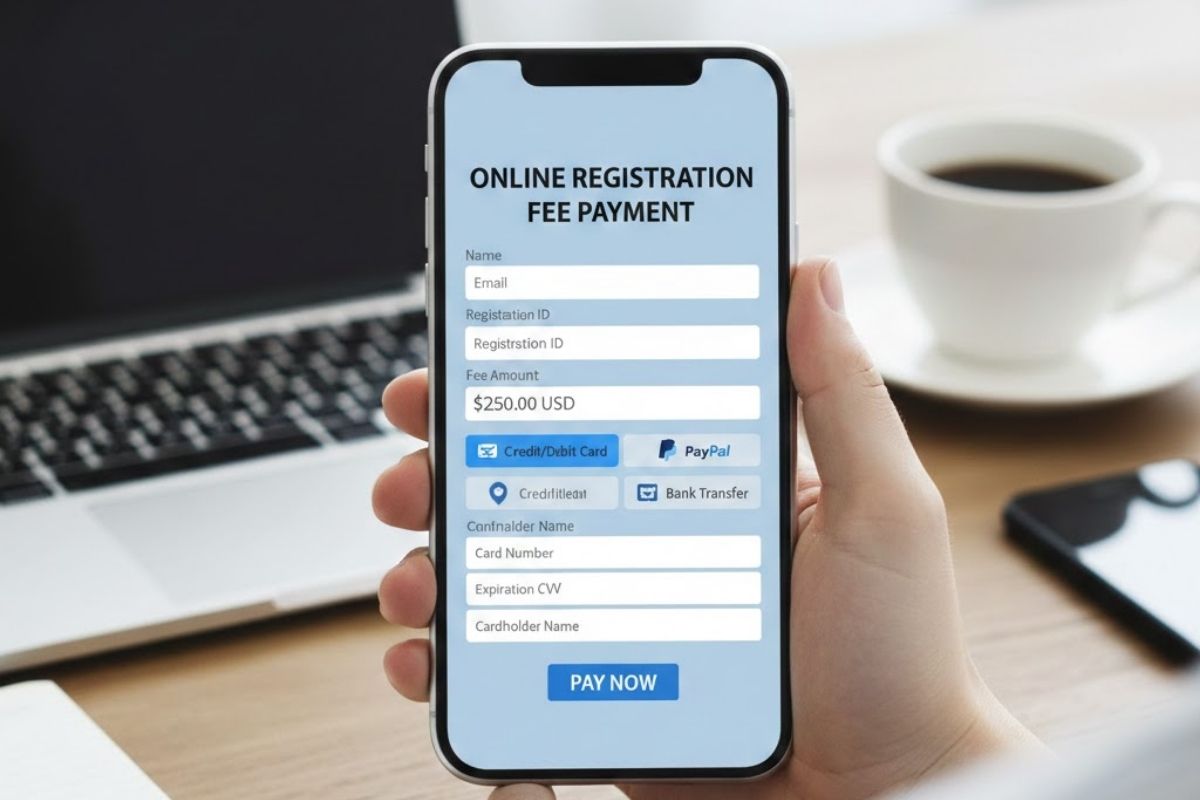
Step-by-Step: How to Pay Registration Fee Online
Paying fees online has become a convenient and time-saving option for just about everything, from school admissions to vehicle registration. But if you’re unsure how to pay registration fee online, you’re not alone. Whether you’re signing up for a course, attending a seminar, or completing an official formality, this step-by-step guide is here to make the entire process simple, quick, and stress-free.
Let’s walk through exactly how to do it, no confusion, no delays.
Visit the Official Payment Portal
The first and most important step is finding the official website or portal where you need to pay registration fees. This could be a government site, a university portal, or an event organiser’s payment page.
Here’s how to get started:
- Check your official email or notification for the correct link.
- Visit only secure and verified sites (look for “https://”).
- Avoid third-party platforms unless explicitly directed.
Using the correct platform ensures your payment is tracked properly and helps you avoid fraud or misdirection.
Log In or Enter Required Details
Once you’re on the right page, you’ll usually be prompted to log in or provide some basic information before proceeding with payment.
You may need to enter:
- Registration ID or number
- Full name and contact details
- Email address for confirmation
Always double-check your inputs to make sure your payment is linked to the correct record.
Select Your Payment Method
After your details are verified, you’ll be asked to choose how you’d like to pay registration. Most portals offer several secure methods:
- Credit or Debit Card – Fast and widely accepted
- Net Banking – Ideal if you prefer direct bank transfers
- UPI or Mobile Wallets – Convenient for quick transactions
Choose the method that’s most comfortable and accessible for you. If you’re using a shared or public device, make sure it’s secure before entering payment details.
Confirm Payment and Save the Receipt
Before clicking that final “Pay Now” button, review all the information one last time. Check the amount, your name, and the reference number.
After a successful transaction:
- Save the digital receipt or take a screenshot.
- Check your email or SMS for a payment confirmation.
- If available, download a payment acknowledgement slip.
Saving the receipt ensures you have proof in case you need to follow up later.
Bonus Tips to Pay Registration Online Smoothly
To make the process even easier, keep these quick tips in mind:
- Use a stable internet connection to avoid timeouts.
- Make sure your bank account or card has a sufficient balance.
- Avoid using public Wi-Fi when entering sensitive information.
- Enable notifications to track deductions or payment status.
When you know how to pay registration fee online safely, the process becomes fast and efficient every time.
What If Something Goes Wrong
Sometimes things don’t go as planned, and that’s okay. If your payment fails or you don’t receive a confirmation:
- Wait a few minutes and check again, delays happen.
- Look for a “payment history” section on the portal.
- Contact support with your registration details and transaction ID
- If you accidentally paid twice, reach out for a refund as soon as possible.
Keeping your receipt and tracking info handy will help resolve issues quickly.
Why Pay Your Registration Fee Online?
Paying fees used to mean long queues, piles of paperwork, and frustrating delays. Thankfully, times have changed. Today, knowing how to pay registration fee online can save you more than just a trip, it can save your time, energy, and even money. Whether you’re registering for an academic course, vehicle, exam, or event, online payment options have become the go-to method for millions.
Still wondering if it’s the right choice? Here’s why making the switch to online fee payment just makes sense.
Convenience and Time-Saving
One of the biggest reasons people prefer online payments is the unmatched convenience. No more visiting an office or bank during working hours. You can pay registration anytime, whether it’s early morning or late at night, all from your phone, tablet, or computer.
What makes it convenient:
- Accessible 24/7 from anywhere
- No need to stand in long lines
- Instant access to payment history and receipts
If you’re looking for an easy and stress-free way to handle payments, learning how to pay registration fee online is a smart first step.
Fast and Secure Transactions
Online platforms have evolved with security in mind. Payment portals are now equipped with encryption, multi-factor authentication, and verified gateways. This means you can pay registration securely without worrying about fraud.
Benefits of secure payments:
- Immediate confirmation and digital receipt
- Bank-grade encryption for sensitive information
- Options like UPI, net banking, and card payments
These platforms ensure your money is handled safely while offering real-time updates and transaction IDs for tracking.
Easy Record Keeping
Keeping physical receipts safe can be a hassle. With online payments, everything is saved digitally, making it easier to organize and retrieve when needed.
Digital record perks:
- Email confirmations and SMS alerts
- Downloadable receipts available anytime
- Easier to track for audits, tax, or re-verification
When you pay registration online, you reduce the chances of losing proof of payment, an issue that can be a headache during application or renewal processes.
Eco-Friendly and Paperless
Choosing to go digital means you’re also helping the environment. Online payments drastically reduce paper usage and carbon emissions caused by travel.
How it helps:
- No printed forms, cheques, or receipts
- Less need for transport or courier services
- Supports sustainable, low-impact transactions
It’s a small change, but when millions adopt how to pay registration fee online, the environmental benefits add up quickly.
Greater Accessibility for Everyone
Online fee payment systems are designed for ease of use. Whether you’re a student, a senior citizen, or someone registering for a government service, most portals offer language options, clear instructions, and mobile-friendly interfaces.
Features for better access:
- Simple step-by-step instructions
- Mobile compatibility for on-the-go payments
- Help sections and support chat for guidance.
Even if you’re new to technology, the process to pay registration online is designed to be straightforward.

Troubleshooting Common Payment Issues
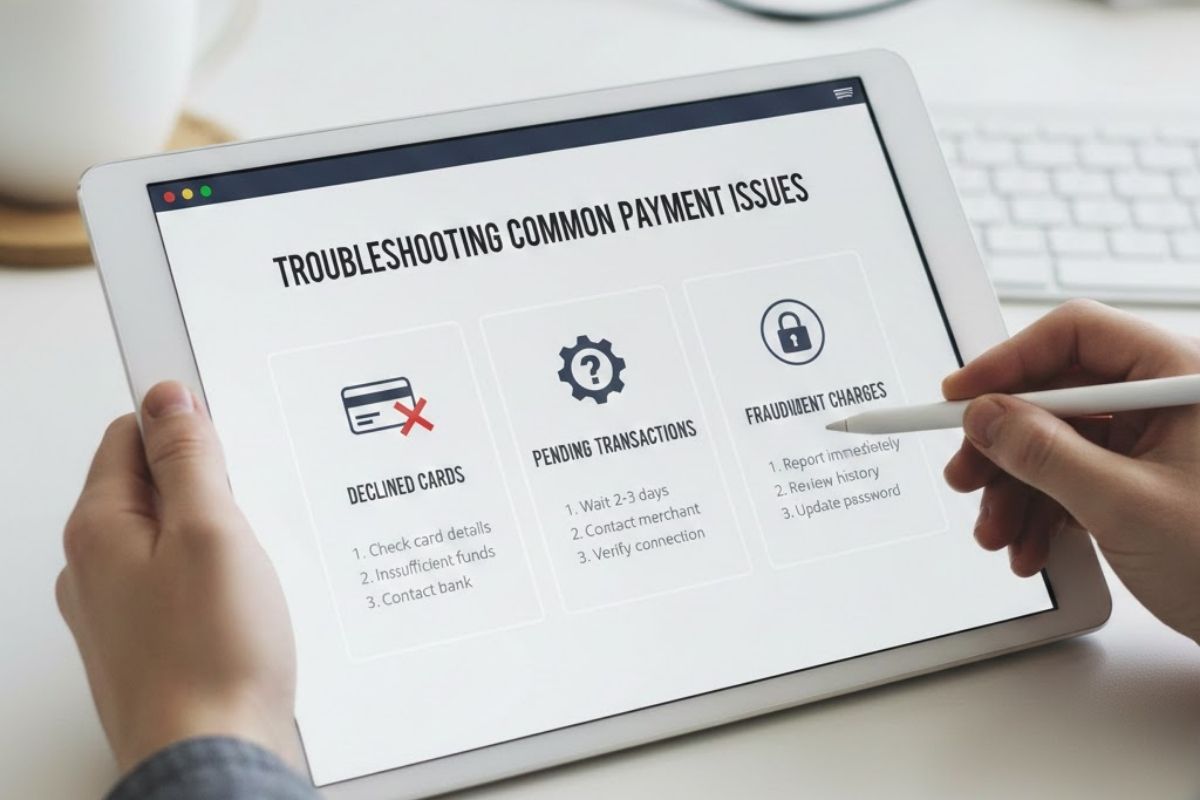
Learning how to pay registration fee online is a huge time-saver, until something goes wrong. A failed transaction, missing confirmation, or a payment that doesn’t reflect can quickly turn a smooth process into a stressful one. The good news is that most payment issues are common and easily fixable. Whether you’re trying to pay registration for a course, exam, vehicle, or event, this guide will walk you through simple ways to solve the most frequent problems.
Let’s troubleshoot the issues step by step so you can get back on track quickly and confidently.
Payment Failed or Timed Out
One of the most frustrating things that can happen while making a payment is seeing an error message or a session timeout. This usually occurs due to a slow internet connection, a browser glitch, or a temporary issue with the payment gateway.
What you can do:
- Please reload the page and try again in a few minutes.
- Make sure you have a stable internet connection.
- Consider clearing your browser cache or switching to another browser.
- Avoid using multiple tabs when you pay registration.
If the amount was debited but the transaction failed, don’t panic. Most banks automatically reverse the amount within a few hours or days.
Double Payment or Overcharged
Sometimes, users unknowingly make duplicate payments either due to slow page loads or repeated clicks. This can be worrying, but it’s usually resolved with a simple refund request.
Steps to fix it:
- Check your email or SMS to confirm if two transactions went through
- Log in to the payment portal and look at your payment history.
- Contact the support team and provide both transaction IDs.
- Ask about the refund policy and estimated time for reversal.
Keeping a screenshot or bank statement helps in verifying the double payment when reaching out to support.
No Confirmation After Successful Payment
You’ve entered your details, the payment has gone through, but there’s no email, SMS, or download option for a receipt. This is common and often caused by delays in the system or incorrect contact details.
What to do next:
- Recheck your email inbox, spam, and promotions folder.
- Return to the website and check for a “Download Receipt” or “Track Payment” option.
- Log in again to see if your registration status is updated.
- If nothing works, contact the support number or email listed on the site.
Having proof of payment, like a transaction ID or bank message, will help speed up the resolution process.
Bank Deducted Money, but the Site Shows an Error
It can be alarming when your bank account is debited, but the website says the transaction failed. This often happens when the payment is stuck between the bank and the service provider.
Quick tips:
- Wait for at least 30 minutes, sometimes it resolves on its own
- Check your bank account and take note of the transaction reference number.
- Contact both your bank and the service provider with the details.
- Avoid retrying payment immediately unless you’re sure the first attempt failed.
Once verified, the system will usually update the status or return the money within 5–7 business days.
General Tips to Avoid Payment Problems
Most payment issues can be avoided with a few simple precautions. Here’s how to make the process of how to pay registration fee online smoother every time:
- Use updated browsers like Chrome or Firefox.
- Ensure your card/bank account has a sufficient balance.
- Don’t use public Wi-Fi for sensitive transactions.
- Always double-check your contact information before submission.
Save a copy of the receipt or transaction ID after you pay for registration.
Tips to Safely Pay Registration Fees Online
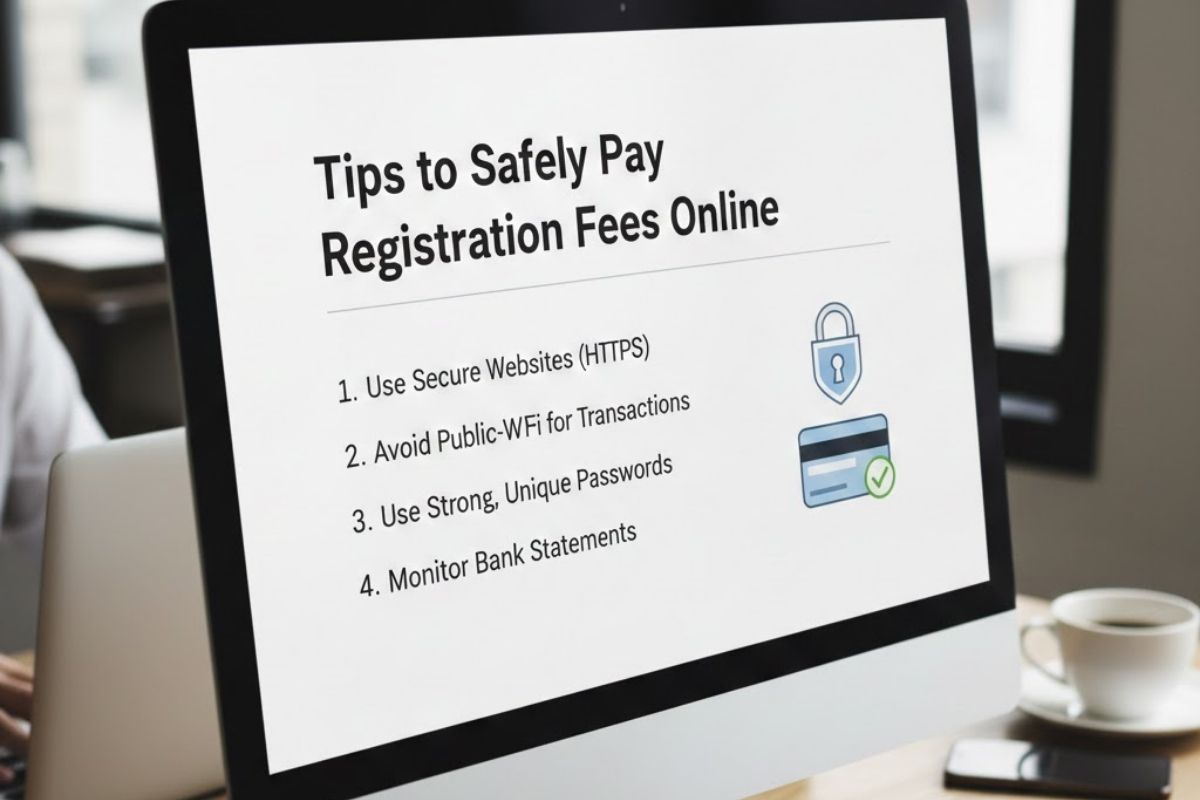
In today’s fast-paced digital world, knowing how to pay registration fee online is more than just a convenience, it’s almost a necessity. Whether you’re registering for an exam, event, course, or service, online payments save you time and effort. But with the ease of digital transactions comes the need to be cautious.
Security matters. If you’re not careful, a simple mistake can lead to failed payments, stolen information, or duplicate charges. To help you stay safe and confident every time you pay registration, we’ve compiled a list of easy, practical tips that anyone can follow.
Always Use the Official Website
The first step in secure online payments is making sure you’re on the right platform. Fake websites or phishing links can look convincing and trick you into entering sensitive details.
What to do:
- Double-check the URL (it should start with “https://”)
- Avoid clicking on payment links sent via random emails or messages.
- Go directly to the official site by typing the address or using trusted sources.
This simple habit can make a big difference when you pay registration online.
Avoid Public Wi-Fi When Making Payments
Hackers can intercept your data, including card or banking details, especially when you’re in the middle of a financial transaction.
Instead, try this:
- Use a secure, private internet connection at home or via mobile data.
- If you must use public Wi-Fi, consider using a trusted VPN for extra protection
Your financial information deserves a safe network every time you learn how to pay registration fee online.
Use Trusted and Secure Payment Methods
Most official registration portals support multiple payment options, credit/debit cards, net banking, UPI, and digital wallets. But not all methods are equally secure.
Best practices:
- Use verified gateways like Razorpay, PayU, or BillDesk.
- Avoid saving your card details unless necessary.
- Opt for payment methods that offer instant alerts and transaction IDs.
This ensures a transparent trail every time you pay registration online.
Keep Your Device and Browser Updated
Outdated devices or browsers are more vulnerable to malware and security breaches. Keeping your tech up to date isn’t just about performance, it’s about safety.
To stay protected:
- Regularly update your mobile or computer operating system.
- Use browsers like Chrome or Firefox with automatic updates.
- Install antivirus software or enable built-in protection.
Secure devices mean fewer chances of facing issues when figuring out how to pay registration fee online.
Save Every Receipt and Transaction ID
After you make a payment, always store a record of the transaction. This helps in resolving any disputes or confirming successful registration.
Here’s how:
- Take a screenshot of the confirmation screen.
- Save the email or SMS receipt.
- Download a copy of the payment acknowledgement if available.
This extra step brings peace of mind every time you pay registration and ensures you’re never left guessing.
Watch for Red Flags and Report Suspicious Activity
If anything seems off, like slow site speed, multiple pop-ups, or unusual requests, stop the process immediately. Trust your instincts.
Be cautious if you see:
- Requests for unrelated personal info (like ATM PINs)
- Spelling errors on the payment page
- No clear customer support or help section
Learning how to pay registration fee online also means learning how to recognise when not to proceed.
Conclusion
Paying fees online doesn’t have to be confusing or risky. Once you understand how to pay registration fee online, the process becomes faster, safer, and far more convenient. From choosing secure websites to saving your receipts, every small step matters in making your experience smooth and stress-free. Whether you’re paying for a course, event, or government service, taking a few precautions can help you pay registration confidently and avoid common issues. By following the tips, troubleshooting advice, and step-by-step guides we’ve covered, you’ll be fully prepared to handle online payments the right way, every single time.
Frequently Asked Questions
Q1: What is the safest way to pay registration online?
Ans. Use official websites with secure payment gateways like UPI, net banking, or verified card services.
Q2: What should I do if my payment fails?
Ans. Wait a few minutes, check your transaction history, and contact support with your payment ID.
Q3: Can I get a refund for the double payment?
Ans. Yes, most portals issue refunds if you provide both transaction details.
Q4: How do I confirm my registration after payment?
Ans. Check for confirmation via email, SMS, or download the receipt from the portal.
Q5: Is it safe to use public Wi-Fi?
Ans. Avoid it; use private, secure internet connections when making payments.
Stay updated with the latest happenings, offers, and behind-the-scenes action!
Follow us on Instagram and Facebook for exclusive content, community highlights, and more.
Don’t miss out – join our growing online family today!
